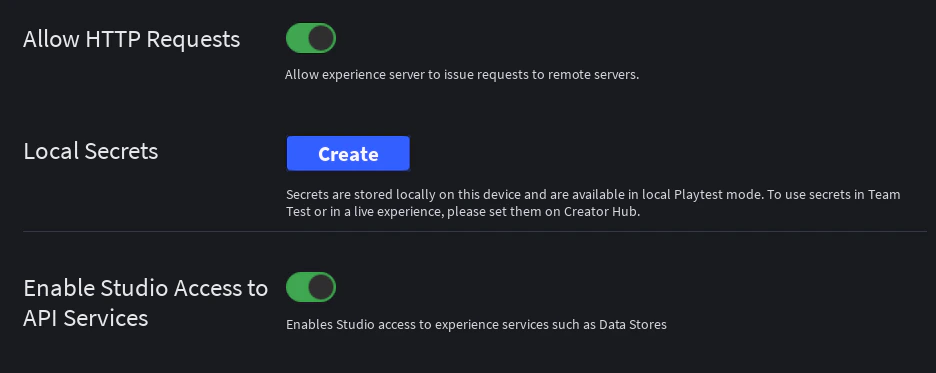
Before you start using any Noren product, make sure that your experience provides our products the necessary permissions to function. Most tech products with licensing systems like Noren also require the same or similar steps in this guide.Documentation Index
Fetch the complete documentation index at: https://support.norentech.arcroblox.work/llms.txt
Use this file to discover all available pages before exploring further.
HTTP Requests & API Services
Noren products communicate with our licensing systems to enforce our Terms of Use and prevent unlicensed use. Our licensing systems are required to interact with third-party APIs. Noren products may also require to interact with Roblox API services to function. Follow the step-by-step guide below to allow HTTP requests and access to Roblox API services.Open Experience Settings from File
Hover over “File” from the top left of Roblox Studio and you’ll find “Experience Settings”.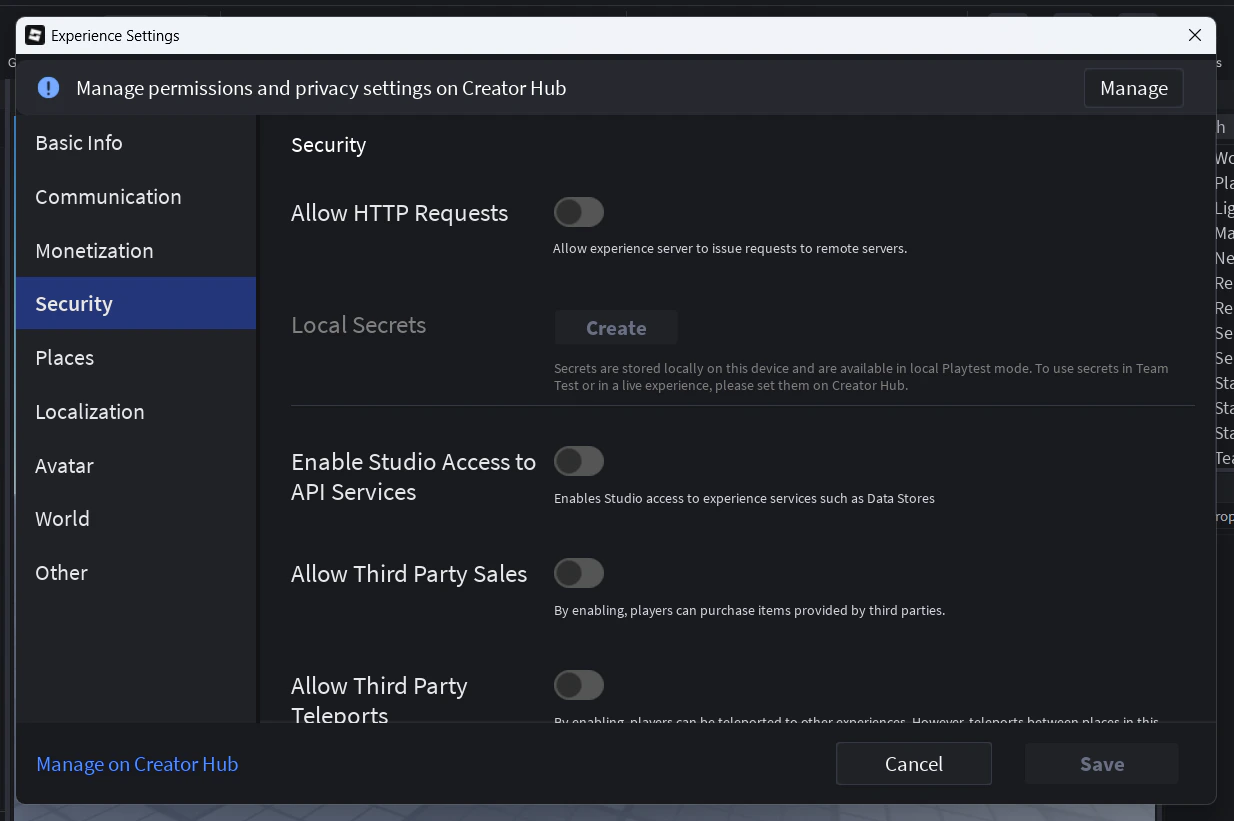
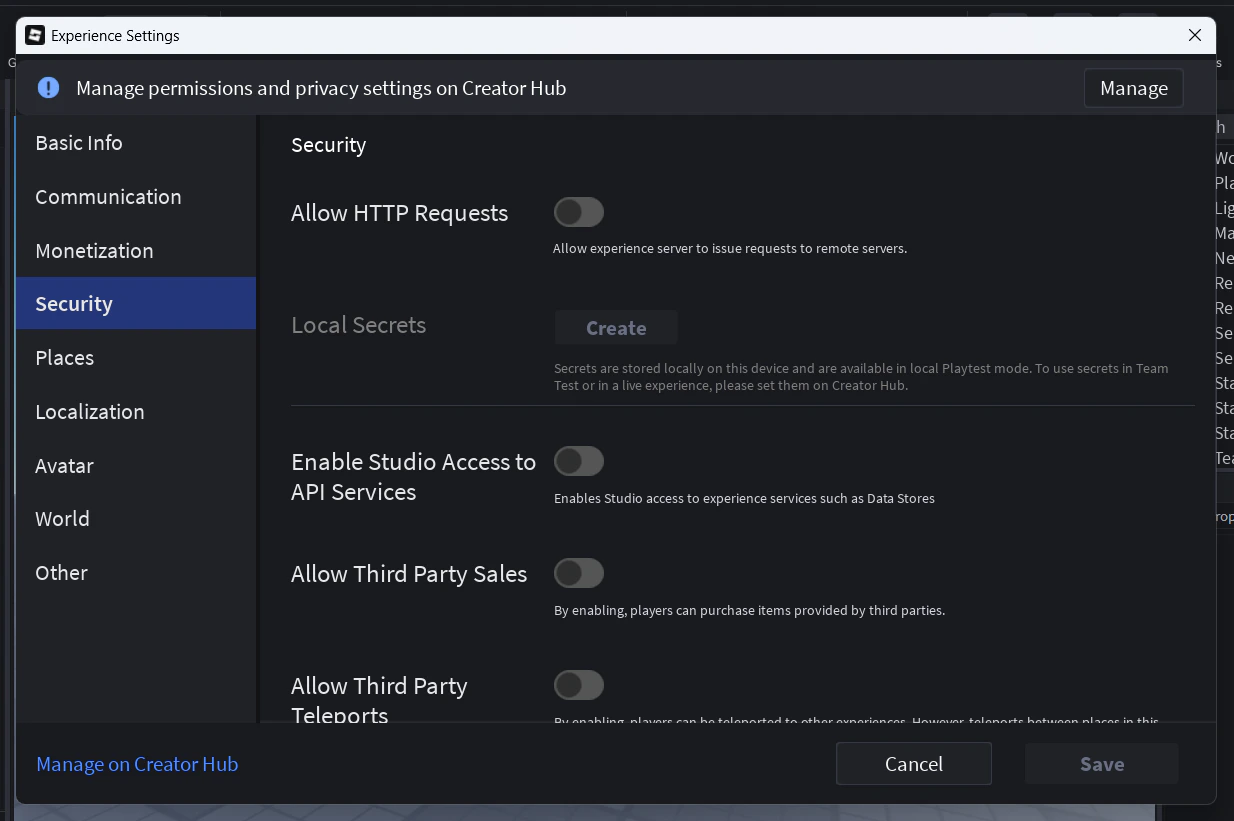
Enable "Allow HTTP requests" and "Enable Studio Access to API Services"
You will spot a warning from Roblox warning you of third party attacks by allowing HTTP requests. Noren will never attempt to attack or backdoor your game in any way.